Part of: Quotes and leads you never followed up
Follow-ups
Open enrollment email to employees: a clear template staffing firms can send this week
For owners of light-industrial and contract staffing agencies who need an open enrollment email to employees that internal W-2 staff will actually read before the carrier deadline.
For owners of light-industrial and contract staffing agencies who need an open enrollment email to employees that internal W-2 staff will actually read before the carrier deadline.
It's the second Monday in October. Your benefits broker drops a 40-page carrier PDF in your inbox. Open enrollment starts next week for the January plan year. Half your recruiters are on job sites. Nobody has written the open enrollment email to employees. Last year three people missed the window and stayed on the wrong plan until you cleaned it up in January. That cleanup cost more than writing the email on time.
The short answer
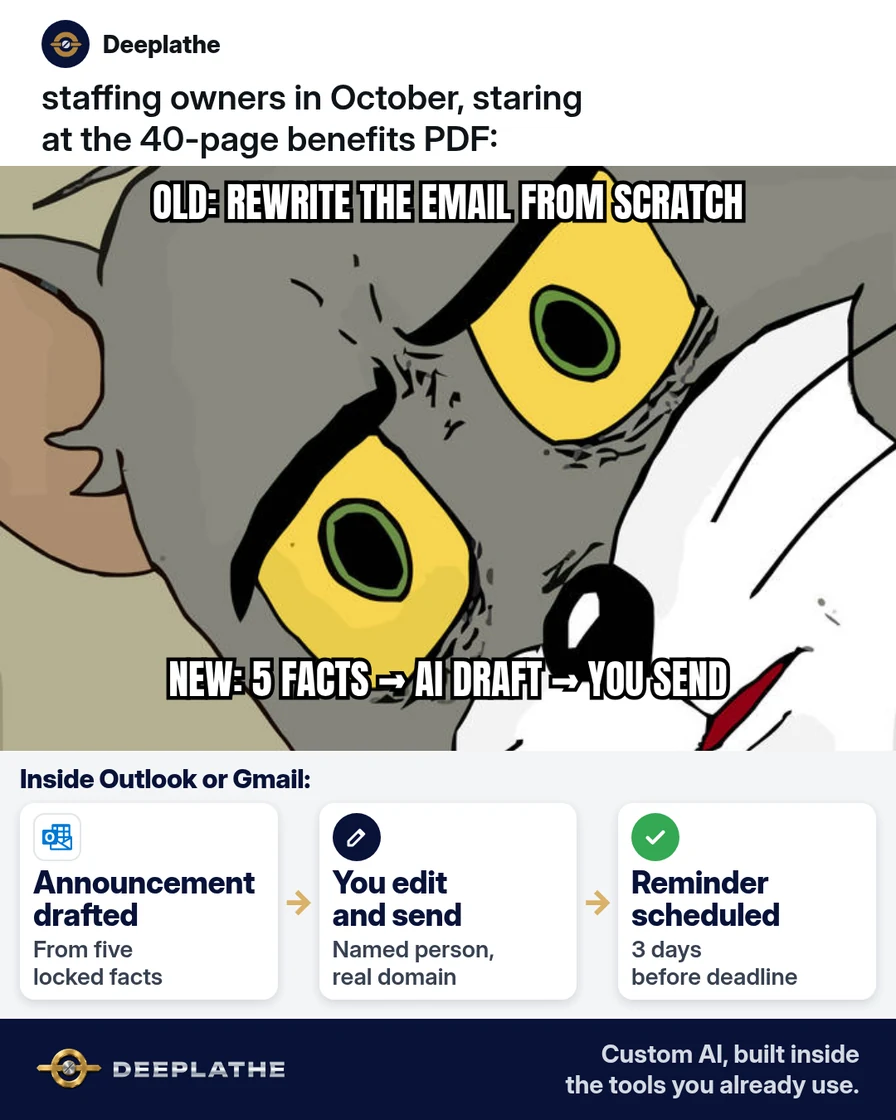
Send two messages: a clear announcement with dates and links, then a short reminder before the deadline — both drafted with AI from the carrier PDF, edited by you, and sent from your company domain. An open enrollment email to employees is a deadline tool, not a brochure.
Why open enrollment emails ship late
US calendar-year health plans usually open enrollment in October or November for a 1 January effective date. Staffing firms feel it harder than desk-bound offices: recruiters live in Avionté, Bullhorn or TempWorks and on client floors. The carrier PDF is dense. Owners rewrite the same announcement every year from scratch. By the time the email goes out, the early birds already enrolled and the late group needs one-on-one fixes.
Floor vote
Where is your open enrollment email right now?
One vote per device. Change it any time.
Loading votes…
Step 1: Pull five facts from the carrier PDF before you write
Open the PDF. Write these five lines in a Doc or email draft — nothing else yet:
- Who is eligible (internal W-2 staff; note if field employees differ).
- Enrollment start and end dates (time zone if relevant).
- Where to enroll (carrier URL or HR portal).
- What happens if they do nothing (prior plan continues / coverage ends — take the PDF's words).
- Who to ask (you, broker, or HR email/phone).
If any line is unclear, email the broker before you draft. Do not let AI invent a deadline.
Step 2: Draft the announcement open enrollment email to employees with AI
In Gmail or Outlook, attach or paste the five facts (not the whole PDF if it includes other groups' rates you should not share). Use ChatGPT, Claude, Gemini or Copilot:
Write an open enrollment email to employees for a US staffing agency.
Tone: plain, respectful, under 180 words. No hype.
Use ONLY these facts:
- Eligible: [WHO]
- Starts: [DATE]  Ends: [DATE]
- Enroll at: [URL]
- If they do nothing: [PDF LANGUAGE]
- Questions: [NAME, EMAIL, PHONE]
Include: subject line, 3 bullet "what you need to do", and one line that paper forms are not accepted if that's true.
Do not invent plans, prices, or dates. Mark gaps as [NEED].
Edit the draft. Add your logo signature. Send from a real person (owner or office manager), not a no-reply address.
Step 3: Schedule the reminder open enrollment email
Three calendar days before the end date (or seven if your crew is mostly on sites), send a shorter reminder:
Subject: Reminder: open enrollment ends [DATE]

Hi team — open enrollment closes [DATE].
If you still need to make changes, use [URL] before then.
If you're staying on your current plan and that's allowed, you're done.
Questions: [NAME] at [EMAIL].
Thanks, [YOU]
Put both sends on your calendar the day you finish Step 1 so they cannot slip.
Step 4: Log who got it and park questions in one thread
BCC a shared mailbox or use your HRIS distribution list so you can resend to new hires mid-window. Forward employee questions to the broker in one thread; do not answer plan-comparison medical questions yourself unless you are qualified.
From carrier PDF to two sends
- 1FactsFive lines from the PDF.
- 2AnnounceAI draft, you edit, you send.
- 3RemindShort note before the deadline.
- 4EscalatePlan questions to the broker.
- Day 0: Five facts from the PDF; broker clarifies gaps.
- Day 0–1: AI drafts announcement; you edit and send.
- Day −3: Short reminder to the same list.
- Through deadline: One question thread to the broker.
Example (illustrative): 22-person internal staff at a light-industrial staffing firm
The owner pastes eligibility, dates, URL and "if you do nothing" from the broker PDF into Claude, edits twice, sends from Outlook. Reminder goes out the Friday before the Tuesday deadline. Two people still need help; both are handled in the broker thread the same day.
At a glance
- Problem: Late, dense open enrollment emails and missed elections.
- What was set up: Five-fact extract → AI draft → announcement + reminder on calendar.
- Tools it lives in: Outlook or Gmail, Word/Docs, Avionté/Bullhorn/TempWorks distribution list, carrier portal.
- What the owner still does: Confirms facts, edits, sends, escalates plan questions.
- Payoff: not measured here — count staff who enroll before deadline vs last year.
What "good enough" looks like this OE season
Success is not a beautiful email. Success is every eligible internal employee knowing the dates, the link, and what happens if they do nothing — early enough to act. Track three numbers: announcement send time, reminder send time, and how many people needed one-on-one help after the deadline. If the last number is high, your five facts were unclear or the reminder was late. Fix the facts sheet for next year while this year's window is fresh.
Mistakes to avoid
- Pasting the whole PDF into a public AI tool when it contains other groups' data — extract the five facts.
- Invented prices or plan names. AI must not fill gaps.
- One giant email with every SPD attached. Link to the portal; keep the email short.
- No reminder. Site-based crews miss single sends.
- Answering medical eligibility questions off the cuff. Send them to the broker.
Field check
Field check
Three questions. Honest answers. No score sent anywhere but this page.
01 / 03
What do you extract before drafting?
Owners often ask whether they should wait for a perfect setup. Do not. Ship the smallest version that keeps a human in the loop: one checklist, one prompt, one calendar block. You can widen the workflow after a quiet week. Waiting for a vendor feature rename or a perfect SOP is how October becomes December with the same pile. The version in this article is enough to start today on the tools you already pay for.
If it still doesn't work
If the broker PDF conflicts with the portal dates, freeze sends until the broker confirms in writing. If you have no distribution list, build one from payroll before Day 0. If AI drafts sound like marketing, cut adjectives and keep the five facts.
Doing this inside the tools you already use
Deeplathe builds custom AI inside Gmail or Outlook and your staffing ATS so deadline emails draft from the facts you lock, land as drafts you approve, and reminder dates sit on your calendar. Less than a hire, more output. See Deeplathe.
FAQ
What should an open enrollment email to employees include?
Who is eligible, start/end dates, where to enroll, what happens if they do nothing, and who to ask — in plain language under ~180 words.
When should I send the reminder?
About three days before the deadline (seven if many staff are on job sites).
Can AI write the email from the full carrier PDF?
Better to extract five facts first so you do not leak other groups' data or let the model invent rates.
Do field temporary workers get the same email?
Only if they are eligible under the plan. Follow the PDF; when unsure, ask the broker.
Should this come from HR or the owner?
From a real named person staff trust. Owner or office manager is fine for small firms.
Keep these
- Five facts before prose.
- Announcement + reminder.
- No invented dates or prices.
- Broker owns plan questions.
Sources
- Healthcare.gov: Open enrollment (consumer OE context; employer plans follow carrier/employer calendars)
- US Department of Labor: health plans overview
- Your carrier / broker open enrollment guide for the plan year (primary for dates)
Related reading
Keep these
The working rules
Send two messages: a clear announcement with dates and links, then a short reminder before the deadline — both drafted with AI from the carrier PDF, edited by you, and sent from your company domain.