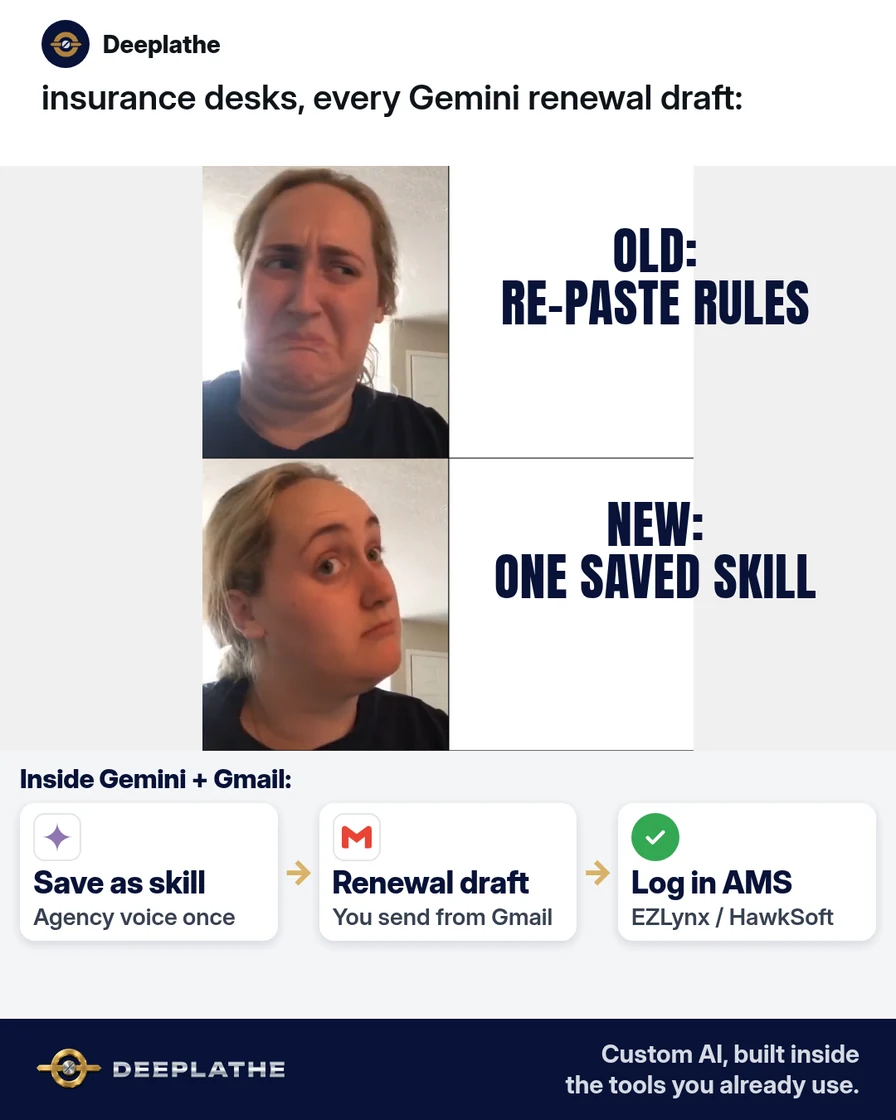
Part of: The process that only lives in your head
SOPs
Gemini skills vs Gems: move your agency's saved instructions before the switch
Technical walkthrough for agency ops: rollout gates, skill metadata, stacking, and a migration checklist for gemini skills vs gems — same facts as Everyday, deeper mechanics.
For independent insurance agency ops leads who need the mechanics behind gemini skills vs gems: rollout gates, skill metadata, stacking, and a migration checklist that survives the Gems sunset.
A producer’s Gem works in isolation. A CSR’s “renewal voice” lives in a Docs paste. When Google moves the platform from Gems to skills, the failure mode is not drama — it is silent drift: two people, two instruction sets, one E&O risk. This reading keeps the same facts and section order as Everyday, with deeper controls.
The short answer
Treat each Gem as a skill spec: name + description (routing) + instructions (behavior) + optional reference files; rebuild in the Gemini app now, recreate later in Workspace because the two surfaces do not sync. Skills stack inline; Gems were single-context. Path: gemini.google.com → Customize → Skills. Keep Gems until three live passes. Workspace-app skills: delayed as of 13 Oct 2026 — verify, do not invent availability.
Why the gemini skills vs gems switch keeps biting agencies
Gems optimized for a dedicated chat. Skills optimize for reuse inside the unified thread, including stacking multiple instruction packs in one turn (Workspace Updates, 30 Sep 2026). That shift is why “we have a Gem” is not the same as “the whole desk shares one SOP.”
Checked timeline from Google’s own posts:
- 30 Sep 2026: Skills announced; Gems to be replaced over time.
- 5–12 Oct 2026: Workspace skills Rapid Release originally planned — delayed as of the 13 Oct update.
- 13 Oct 2026: Gemini app skills gradual rollout; expected completion mid-November.
- 19 Oct 2026: Workspace skills Scheduled Release was the planned start — also delayed until Google confirms a new date (13 Oct update).
- 17 Nov 2026: Gems move toward the Settings panel but remain usable.
- No sooner than 1 Mar 2027 (business/enterprise): Gems create/edit/use ends; Workspace Studio flows with “Ask a Gem” stop; remaining Gemini-app Gems auto-migrate to draft skills.
- No sooner than 1 Jun 2027 (education): Parallel Gems removal.
Skills use the open Markdown-native SKILL.md standard, so packs can be copied across tools that speak that format. Gemini decides relevance first from name + description, then loads full instructions — so vague descriptions are a routing bug, not a “model mood” problem (skill-writing help).
Floor vote
Where do your agency's Gemini instructions live today?
One vote per device. Change it any time.
Loading votes…
Step 1: Confirm skills (and keep Gems as backup)
Verify surfaces separately:
- Gemini app: gemini.google.com → sidebar Customize (or More → Customize) → Skills (create & manage).
- Workspace apps / Studio: look for Skills in Workspace Studio. If absent, that matches the delayed Workspace rollout — do not force a Gmail-only path that is not on your domain yet.
- Admin angle: Google documents admin controls for skills in Workspace; Gemini app skills have no admin controls per the 13 Oct post. Age gate: Workspace skills 18+; Gemini app skills all ages when available.
- Backup: leave Gems intact. Business Gems remain usable until the 2027 window. Auto-migration produces inactive drafts — plan a human review queue, do not assume “migrated” means “safe for clients.”
Consumer Help Center pages may still say work/school accounts lack Gemini Apps skills in some locales; for agency planning, prefer the Workspace Updates availability lines (Gemini app skills for Workspace customers as they roll out) and check the account in front of you.
Step 2: Paste this agency renewal skill (copy-this-prompt)
Skill metadata is load-bearing:
- Name: lowercase, hyphenated, verb-led (
draft-renewal-note, nothelper). - Description: third person, starts capability, includes
Use when…triggers (≤1024 characters per Google’s guidance). - Instructions: one job; templates; “common mistakes”; missing-info behavior (
[NEED: …]). - Files (optional): plain-text / PDF / images per Help Center; no
.docx/.xlsxbinaries; root must includeSKILL.mdif uploading a folder; total upload ≤100 MB; no scripts that hit the open internet.
Description block:
Drafts short insurance renewal and COI follow-up notes in the agency's plain voice.
Use when writing renewal reminders, policy-change confirmations, or certificate-of-insurance
follow-ups for commercial or personal lines clients.
Instructions block (same content as Everyday; treat as the behavior contract):
You draft emails and short Docs notes for an independent insurance agency.

Voice:
- Plain US English, grade 8, warm but not cute.
- Agency name: [AGENCY NAME]. Signer title: [CSR / Producer / Owner].
- Never claim a coverage is bound, quoted, or renewed unless the user pasted that fact.

Rules:
1. Ask for missing facts with [NEED: …] instead of inventing dates, carriers, limits, or deductibles.
2. Never request or repeat SSNs, full account numbers, DOBs, or driver's license numbers.
3. Keep drafts under 120 words unless the user asks for longer.
4. End every client-facing draft with: "Please reply if anything looks off."
5. If the user mentions EZLynx, HawkSoft, or Applied Epic data, treat those fields as source of truth — do not "improve" numbers.

Output template:
Subject: [Renewal / COI] – [Client first name or company] – [Policy type]
Body:
- One-line reason for writing
- Exact dates / carriers / limits only if supplied
- Clear next step for the client (reply, upload, call the office)
- Sign-off with [NAME], [TITLE], [AGENCY], [PHONE or email the user provides]

Common mistakes to avoid:
- Do not invent a renewal date.
- Do not say "your policy is renewed" unless the user said it is.
- Do not add marketing upsells unless asked.
Creation paths: blank template, Gemini-assisted builder, prefilled template, or upload SKILL.md (+ optional refs). Activate so auto-apply can run; or invoke with / / @. Deactivate from Customize → Skills → skill → More → Deactivate when testing.
Step 3: Run one real renewal draft in under a minute
Evaluation harness (ops-minded):
- Invoke
/draft-renewal-notewith a redacted fact card (no SSN, no full policy PDF). - Score the draft: invented date? (fail) Coverage claimed without input? (fail) Over 120 words unasked? (warn).
- Paste into Gmail; human sends; AMS (EZLynx / HawkSoft / Applied Epic) remains system of record.
- Store pass/fail in a one-line sheet: date, user, edit minutes, fail reason.
/draft-renewal-note
Client: [First name or company]
Policy: [type, e.g. BOP / homeowners]
Carrier: [name]
Current expiration: [date]
What we need from them: [e.g. updated payroll figure / signed application]
Tone: reminder, not urgent threat
Labelled estimate: sub-minute prompt loop once the skill is stable, versus multi-minute re-briefing. No vendor “minutes saved” claim beyond that operational estimate.
Step 4: Stack a second skill only after the first is boring
Stacking is the core gemini skills vs gems mechanic: multiple skills in one prompt, each narrow. Pattern:
- Skill A = job shape (
draft-renewal-note) - Skill B = agency voice / never-rules only (
plain-agency-voice) - Never Skill C = “all of AMS”
/draft-renewal-note /plain-agency-voice
[fact card]
Workspace Studio note: you can no longer add new “Ask a Gem” steps; existing Gem steps work until the 2027 cutoff. When Studio skills exist on your domain, prefer “Ask Gemini” + selected skills over Gem steps (Studio transition help).
Gem to skill in one afternoon
- TodayBuildCreate draft-renewal-note in Customize → Skills
- Same dayTestOne real renewal draft; you send from Gmail
- This weekKeepLeave Gems until three live uses pass
- LaterRecreateRebuild on Workspace when that rollout arrives
- Today, build:
draft-renewal-notewith verb name + Use-when description. - Same day, test: Three scored drafts; human send only.
- This week, keep: Gems retained; skill activated; fail log started.
- When Workspace skills arrive: Recreate skill on Workspace; update Studio flows off “Ask a Gem.”
Example (illustrative): 12-person P&C (property and casualty) agency on Workspace + HawkSoft
Ops copies Gem instructions into draft-renewal-note, adds a second voice skill after five clean renewals, and schedules a March 2027 calendar item for Gem/Studio cleanup. HawkSoft stays authoritative; Gemini never sends.
At a glance
- Problem: Instructions fragmented across Gems and chat paste.
- What was set up: Skill metadata + instructions contract + edit-minute log.
- Tools it lives in: Gemini app Skills, Gmail drafts, HawkSoft/EZLynx/Applied Epic.
- What the owner still does: Binding/coverage judgment; send; AMS updates.
- Payoff: not measured here — track edit minutes and invented-fact fails for two weeks.
Mistakes to avoid
- Deleting Gems before three live passes. Migration risk without a fallback.
- PII inside skills or reference uploads. Reusable ≠ archive.
- Assuming Workspace skills are live. Delayed as of 13 Oct 2026.
- Relying on sync. Gemini app ≠ Workspace; recreate deliberately.
- Auto-migration complacency. Drafts need human activate + E&O review.
- Coverage decisions by model. Drafting aid only.
Field check
Field check
Three questions. Honest answers. No score sent anywhere but this page.
01 / 03
Main gemini skills vs gems difference for daily work?
If it still doesn't work
Missing Skills in the Gemini app: keep Gems; recheck weekly through mid-November 2026. Skill never auto-applies: rewrite description with concrete Use when triggers; confirm Activate. Instructions ignored mid-task: shorten; move format rules into an explicit template; add a “common mistakes” section. Studio flows with Ask a Gem: copy prompt → Ask Gemini (+ skills when available) → delete Gem step before March 2027. Hard fallback: Docs “AI ops” page with the instructions block pasted at chat start until skills appear.
Doing this inside the tools you already use
If rebuilding every Gem and Studio step by hand is the wrong use of owner time, Deeplathe can implement the same renewal/COI draft rules inside Gmail, Docs and Drive with human send gates and AMS as source of truth. Owner stays in control. Less than a hire, more output. See /solutions.
FAQ
Gemini skills vs Gems: what is the difference?
Gems = isolated specialized chats. Skills = modular instruction packs in unified chats, stackable, SKILL.md-based, relevance-routed via name/description. Platform direction is skills; Gems sunset for business no sooner than 1 Mar 2027.
Are Gemini skills free on Workspace?
Gemini app skills: listed for Workspace customers and personal accounts during rollout. Workspace-app skills: Business/Enterprise (and listed add-ons), 18+, but rollout delayed as of 13 Oct 2026. No separate skills SKU called out beyond existing Gemini/Workspace entitlements — confirm on your Admin and account UI.
Will my Gems convert automatically?
Yes, at removal time for Gemini-app Gems: auto-migrate to inactive drafts; creator must review and activate. Manual rebuild is safer for regulated client wording. Studio Gem steps are not “skills”; they need an Ask Gemini (+ skill) rewrite.
Can I use a skill in Gmail and Docs?
Only when skills in Workspace have reached your domain. Until then, Gemini app only, then recreate. No cross-sync.
What should I put in a skill for an insurance agency?
Routing description, voice, never-invent rules, output template, missing-info protocol. Live facts at prompt time from AMS. No credentials, no full applications as default reference files.
Keep these
- Metadata routes; instructions behave.
- One job per skill; stack deliberately.
- Human send; AMS is source of truth.
- Dual-surface recreate; Gems until proven.
Sources
- Introducing skills in the Gemini app and Workspace (30 Sep 2026)
- Update on the launch of skills (13 Oct 2026)
- Create & manage skills for Gemini Apps
- Write effective skills for Gemini Apps
- About the transition from Gems to skills
Related reading
Keep these
The working rules
Treat each Gem as a skill spec: name + description (routing) + instructions (behavior) + optional reference files; rebuild in the Gemini app now, recreate later in Workspace because the two surfaces do not sync.