Part of: The process that only lives in your head
SOPs
Is ChatGPT safe for business use? A practical can/never list for insurance offices
For P&C insurance agency owners who draft renewals and client emails with AI: a practical can/never list, the right ChatGPT workspace, and the settings that keep policyholder data out of the wrong place.
For P&C insurance agency owners who draft renewals and client emails with AI: a practical can/never list, the right ChatGPT workspace, and the settings that keep policyholder data out of the wrong place.
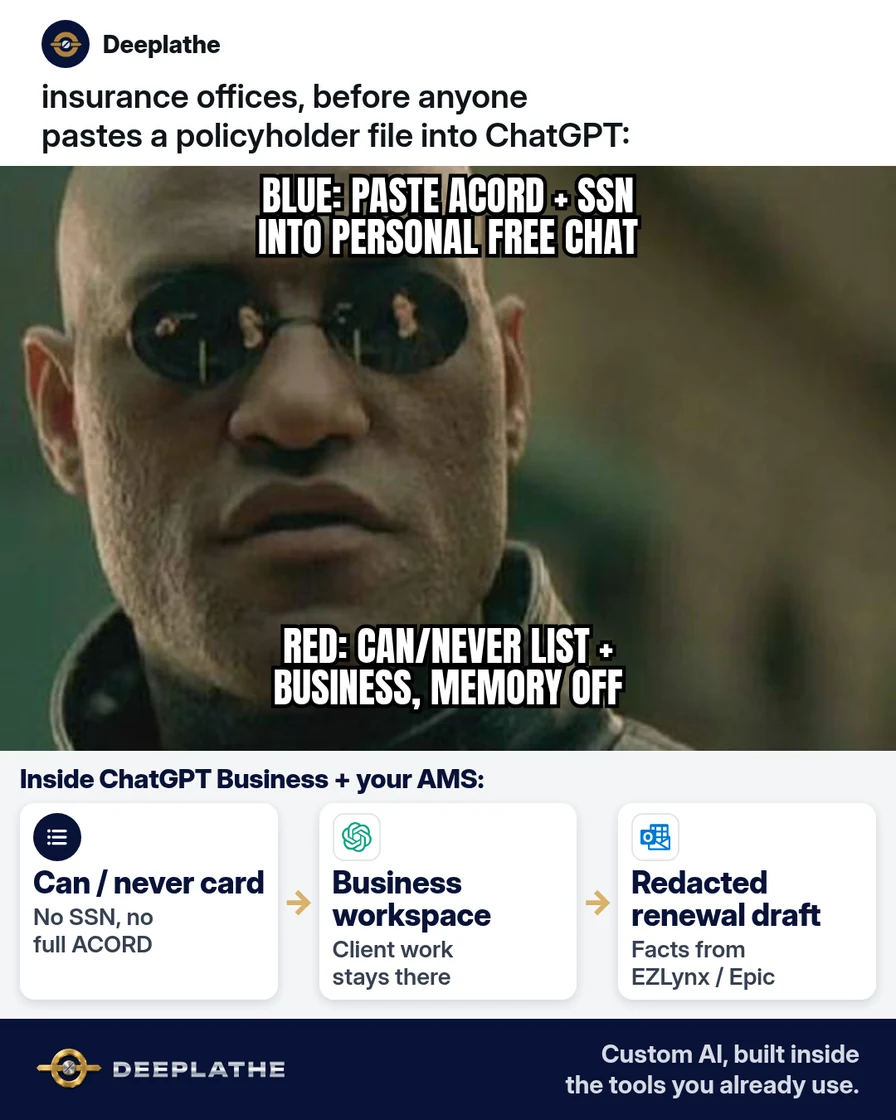
It is 4:40 p.m. A producer has three renewals due Friday. They open personal ChatGPT on their phone, paste a full ACORD with SSNs and prior claims, and ask for a “friendlier renewal email.” The draft looks fine. Nobody wrote down what is safe to paste. That is the gap this page closes.
The short answer
ChatGPT is safe for business use when you put client work in a Business (or Enterprise) workspace, never paste raw PII into a personal Free or Plus chat, and follow a written can/never list. OpenAI states that by default it does not train on ChatGPT Business or Enterprise workspace data. Personal Free and Plus chats are different: turn off “Improve the model for everyone” if you ever use them for non-client drafting, and never put policyholder identifiers there.
Why agencies still paste client data into personal ChatGPT
Producers move fast. EZLynx or HawkSoft has the policy. Outlook needs the email. The free ChatGPT tab is already open. There is no one-page rule on the wall, so the full ACORD goes in.
That habit is the risk, not the model. Personal Free and Plus accounts sit under consumer data controls. OpenAI’s help docs say you can turn off “Improve the model for everyone” under Settings → Data controls, and Temporary Chat is not used for training. That is still the wrong place for SSNs, driver’s license numbers, medical details, or full policy PDFs.
Business and Enterprise workspaces sit under OpenAI’s enterprise privacy commitments: no training on workspace data by default, encryption in transit and at rest, and admin retention controls. The tool becomes usable for redacted drafting once those rules and that workspace are in place.
Floor vote
Where does your agency draft client emails with AI today?
One vote per device. Change it any time.
Loading votes…
Step 1: Put client work in ChatGPT Business (or Enterprise), not personal Free or Plus
Create or join a ChatGPT Business workspace for anyone who touches client files. Keep personal Free or Plus for learning prompts on fake data only.
Confirm the privacy story on OpenAI’s own page before you brief the team: by default, OpenAI does not train on ChatGPT Business or Enterprise inputs and outputs unless the workspace explicitly opts in.
Paste this one-line brief into the agency Slack or morning huddle doc:
Client drafting happens only in our ChatGPT Business workspace.
Personal Free/Plus ChatGPT: fake data and learning only — never policyholder names, SSNs, DOBs, claim numbers, or full ACORDs.
Step 2: Write and pin a can / never list next to every screen
Print this, tape it beside monitors, and keep a copy in your agency SOP folder.
CAN paste (after redaction):
- Role labels instead of names (“Insured”, “Driver 1”, “Claimant”)
- Generic coverage questions (“explain difference between HO-3 and HO-5 in plain English”)
- Redacted renewal email drafts with dollar amounts as ranges if your E&O counsel prefers
- Your own agency process text with no client identifiers
NEVER paste:
- SSNs, driver’s license numbers, bank or payment card numbers
- Full names + DOB + address together
- Medical or workers’ comp detail that identifies a person
- Full ACORD PDFs, declarations pages, or claim files
- Passwords, agency management system logins, or carrier portal codes
Redaction prompt you can paste when you must draft from notes:
Rewrite this renewal email. Replace every real name with Insured / Producer / CSR.
Strip SSN, DOB, street address, claim number, and policy number.
Keep coverage type, renewal month, and the ask for a call.
Output only the email body. Do not invent coverage advice.
Step 3: Lock personal settings before anyone drafts
On any personal Free or Plus account still used for non-client practice:
- Open ChatGPT → profile → Settings → Data controls.
- Turn Improve the model for everyone off.
- Prefer Temporary Chat for experiments so the thread is not kept in history.
- Turn Memory off for practice accounts, or clear memories that mention real clients.
In the Business workspace, have an owner or admin:
- Review retention settings for the workspace (admins control how long chats are kept; deleted or unsaved Business chats are removed from OpenAI’s systems within 30 days unless law requires longer — see OpenAI’s enterprise privacy page).
- Decide who may share chats outside the workspace.
- Ban uploading full policy PDFs until a redaction step exists.
Step 4: Draft in ChatGPT, finish in EZLynx / HawkSoft / Outlook
Flow that keeps PII in systems you already control:
- Pull facts from EZLynx, HawkSoft, or Applied Epic yourself.
- Paste only redacted bullets into ChatGPT Business.
- Copy the draft into Outlook or Gmail.
- Re-insert real names, policy numbers, and dates from the AMS — never from chat memory.
- Log the send in the AMS note the way you already do.
Timing checklist:
- Day 0, train: 15-minute huddle on can/never + Business login.
- Day 1, pin: Can/never card on every desk and in the SOP doc.
- Day 3, audit: Spot-check five recent chats for forbidden fields.
- Day 14, review: Drop any producer still using personal Free for client work.
Safe ChatGPT for agency drafts
- RedactStrip PII firstRoles not names; no SSN/DOB/ACORD
- WorkspaceUse Business/EnterpriseNot personal Free or Plus for clients
- DraftGet the email wordingCoverage advice stays with licensed producers
- FinishMerge in the AMSRe-insert IDs from EZLynx/HawkSoft
- Before paste, redact: Names → roles; strip SSN/DOB/address/claim #.
- Workspace check: Client work only in Business/Enterprise.
- Finish in AMS: Real identifiers re-entered from EZLynx/HawkSoft, not from chat.
- Weekly spot-check: Five chats; any PII hit = retrain that day.
Example (illustrative): a five-person P&C office
A suburban agency writing personal lines renewals. Producers used personal ChatGPT Plus for “faster emails.” The owner moved client drafting to ChatGPT Business, pinned the can/never card, and barred full ACORD uploads.
At a glance
- Problem: Full policyholder details going into personal ChatGPT chats.
- What was set up: Business workspace + can/never card + redaction prompt + AMS finish step.
- Tools it lives in: ChatGPT Business, EZLynx (or HawkSoft), Outlook.
- What the owner still does: Approves tone on large accounts; spot-checks chats weekly.
- Payoff: not measured here — track “minutes per renewal email” and “PII incidents in chat audit” for 30 days.
Mistakes to avoid
- Treating Free or Plus like a business vault. Consumer data controls are not an agency compliance program.
- Pasting the whole PDF “just this once.” One ACORD is enough to create an E&O and privacy problem.
- Letting ChatGPT decide coverage. It drafts language; your licensed producer owns the advice.
- Leaving Memory on with real client names. Clear or disable memories that store people.
- Skipping the AMS re-insert. If the chat still holds the only copy of a policy number, you have already lost the boundary.
Field check
Field check
Three questions. Honest answers. No score sent anywhere but this page.
01 / 03
Where should policyholder drafting happen?
If it still doesn't work
If carriers, your E&O carrier, or counsel ban generative AI for client text, stop client drafting in ChatGPT and keep AI on internal SOPs with fake data only. If budget blocks Business seats, do not “make do” on Free with real PII — use templates in Outlook and a shared redaction checklist until seats exist. If a producer already pasted PII into personal ChatGPT, delete that chat, turn training off, document the incident the way your privacy policy requires, and retrain before the next renewal batch.
Doing this inside the tools you already use
Some agencies want the can/never rules, redaction step, and “finish in EZLynx / Outlook” path built once so producers do not reinvent it under deadline pressure. Deeplathe builds custom AI inside the tools you already run — AMS notes, shared inboxes, SOP docs — so drafts stay in your stack and a person still approves before anything leaves. Owner stays in control: the system proposes a redacted draft; you send. If you want that wired for your office rather than run as a manual checklist, see /solutions.
FAQ
Is ChatGPT safe for business use with client data?
It can be, on ChatGPT Business or Enterprise with a written can/never list and no raw PII in the prompt. Personal Free and Plus are the wrong place for policyholder identifiers, even if you turned training off.
Does OpenAI train on ChatGPT Business data?
OpenAI’s enterprise privacy page states that by default it does not train on ChatGPT Business or Enterprise workspace data unless the workspace explicitly opts in. Always re-check that page when policies update.
What should never go into ChatGPT at an insurance agency?
SSNs, driver’s license numbers, full name + DOB + address together, medical claim detail that identifies a person, full ACORDs, and AMS or carrier passwords. Use role labels and redacted bullets instead.
Is ChatGPT Plus enough for an agency?
Plus is a personal plan. It is fine for learning on fake data. Client work belongs in a Business or Enterprise workspace with admin controls, not a personal Plus login.
How do I turn off training on a personal ChatGPT account?
Settings → Data controls → turn off Improve the model for everyone. Prefer Temporary Chat for experiments. Still never paste real policyholder PII there.
Keep these
- Client drafting only in ChatGPT Business or Enterprise.
- Can/never card on every desk — never SSN, DOB, full ACORD.
- Redact → draft → re-insert real IDs from the AMS.
- Licensed humans own coverage advice; ChatGPT drafts wording only.
Sources
- Enterprise privacy at OpenAI
- Managing data, sharing, and privacy in ChatGPT Business
- Data controls in ChatGPT
- Business data privacy, security, and compliance | OpenAI
Related reading
Keep these
The working rules
ChatGPT is safe for business use when you put client work in a Business (or Enterprise) workspace, never paste raw PII into a personal Free or Plus chat, and follow a written can/never list.