Part of: The process that only lives in your head
SOPs
Financial advisor meeting notes template (and how to get notes into your CRM the same day)
A ten-field note schema, a constrained summary-to-template prompt and a human review gate, wired into Wealthbox or Redtail with Zoom or Teams summaries.
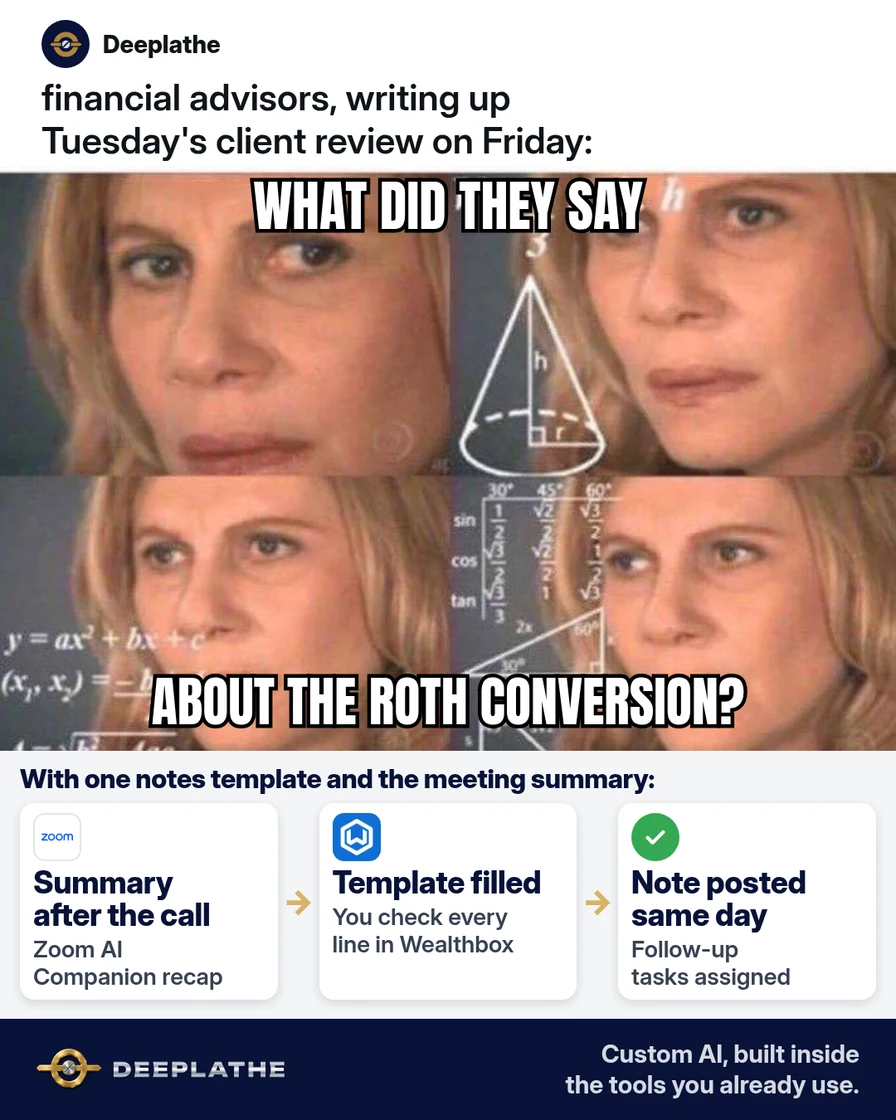
It's 4:40 on a Thursday. You've had three client reviews today, and the notes for all three are still in your head and on a legal pad. A financial advisor meeting notes template, filled by AI from the meeting summary, gets each note into your CRM the same day.
The short answer
Treat the note as a pipeline with one human gate. Input: the Zoom AI Companion summary or Teams intelligent recap. Transform: a constrained prompt that maps the summary onto a fixed ten-field template. Store: a Wealthbox or Redtail note template, with tags or a category for reporting. The model only maps what was said onto your fields; the advisor reviews and posts, and nothing becomes the record without that sign-off.
Why meeting notes slip
Notes slip at two points. First, latency: write-ups get batched to the end of the day, and recall decays. Second, schema: a free-text box forces a fresh decision about structure every time, so notes vary by advisor and by mood.
A template fixes the schema. An AI summary fixes the capture. The prompt joins the two, and the review step keeps accountability with the adviser.
For RIAs, the stakes are higher than at most small firms. SEC Rule 204-2 defines the books and records an adviser must keep. Your compliance manual and CCO turn that into a firm policy on what a meeting note contains and whether AI artifacts are retained. Design the template from that policy, not the other way round.
Floor vote
When do your client meeting notes usually get written?
One vote per device. Change it any time.
Loading votes…
Step 1: Save the financial advisor meeting notes template in your CRM
Use fixed field labels the model can't reinterpret, and enumerated values where possible:
CLIENT MEETING NOTE
Date and type: [DATE] - [ANNUAL REVIEW / PLANNING / CHECK-IN]
Attendees: [CLIENTS], [ADVISOR], [STAFF]
Format: [IN PERSON / ZOOM / TEAMS / PHONE]
1. Purpose of the meeting:
2. Changes since last meeting (work, family, health, goals):
3. Risk tolerance and time horizon: [NO CHANGE / CHANGED - DETAILS]
4. Topics covered:
5. Recommendations made and why:
6. Client decision: [AGREED / DECLINED / THINKING IT OVER]
7. Documents delivered or requested:
8. Client questions or concerns:
9. Action items: [WHO] - [WHAT] - [BY WHEN]
10. Next meeting: [DATE OR TIMEFRAME]
Prepared by [ADVISOR] on [DATE]. Reviewed by advisor: [YES]
Wealthbox: three-dot menu, Settings, Customizations, then Note Templates under Customize Data, then Create Note Template. Add a tag to the template; Wealthbox applies it to every note posted with that template, so "Annual Review" notes become a filterable set.
Redtail CRM: your name (top right), Manage Your Account, Note Templates in Manage Templates, new. Set Name, Body and Category. Create Follow-up Activity routes you into a new activity after saving, and Notify user / Notify team pushes the note to a person or team. Templates are shared across the database, which keeps every advisor on one schema.
Step 2: Turn on an AI meeting summary for client meetings
Zoom AI Companion: the meeting summary toggle lives in the web portal's AI Companion settings, and it can be locked at account or group level by an admin. The host gets the summary by email; it's also under My account, Summaries, with Share, Edit and Delete. Admin options include "Only share meeting summaries by email" and a custom disclaimer shown when AI is turned on. On eligible plans, admins can build custom meeting summary templates in AI Studio, which can mirror your ten fields upstream.
Teams intelligent recap: requires Teams Premium or a Microsoft 365 Copilot license plus organization-enabled transcription.
Disclose AI use to clients, and get your CCO's call on retaining the raw summary.
Step 3: Fill the client meeting notes template with one AI prompt
Run this in a firm-approved tool. Strip account numbers, SSNs and dates of birth before pasting.
Role: you convert a meeting summary into a financial advisor's
client meeting note.
Input A: TEMPLATE (fixed field labels; keep them exactly).
Input B: SUMMARY (the only source of facts).
Constraints:
1. Use only facts present in SUMMARY. No inference, no advice.
2. Uncovered field -> "[NOT DISCUSSED]".
3. Ambiguous item -> "[CHECK: <question for the advisor>]".
4. Recommendations: keep the advisor's wording; never upgrade
   "we talked about" to "recommended".
5. Action items: WHO - WHAT - BY WHEN; missing owner or date ->
   "[CHECK: owner]" / "[CHECK: date]".
6. Output the filled template only, no preamble.

TEMPLATE:
[PASTE TEMPLATE]

SUMMARY:
[PASTE ZOOM OR TEAMS SUMMARY]
Constraint 4 is the one to test. Summaries often blur discussion and recommendation, and that distinction matters in an advisory record.
Step 4: Review, post and create follow-up tasks the same day
Open the note publisher with the template (Wealthbox: the Note Templates icon in the text area; Redtail: the template picker at the top of Add Note) so tags and category apply. Replace the body with the reviewed draft. Resolve every "[CHECK]" before posting. Wealthbox keeps previous versions when you edit a note, so later corrections stay visible. Turn action items into tasks or Redtail follow-up activities.
How the flow runs after each meeting
After every client meeting
- Meeting endsSummary arrivesZoom AI Companion emails the host a summary, or Teams shows the recap.
- Minute 1-2AI fills the templatePaste the summary into the prompt; gaps become [NOT DISCUSSED].
- Minute 3-8You review and postFix every [CHECK] line and post the note to the Wealthbox or Redtail record.
- Same dayTasks go outEach action item becomes a task with an owner and a date.
- Meeting ends: summary arrives (email, Summaries page or Teams recap).
- Minute 1-2: prompt maps the summary onto the template.
- Minute 3-8: advisor review, "[CHECK]" items resolved, note posted.
- Same day: tasks created with owners and dates.
Minutes are a target; time your own first five notes.
Example (illustrative): a two-advisor RIA on Wealthbox
A walkthrough, not a client story. A founder-led RIA with two advisors and one operations person runs reviews on Zoom. One tagged Wealthbox note template, AI Companion summaries with client disclosure, one prompt in the approved tool, and ops converting action items to tasks.
At a glance
- Problem: late, inconsistent review notes.
- What was set up: template, AI summaries, constrained prompt.
- Tools it lives in: Wealthbox, Zoom AI Companion, an approved AI tool.
- What the owner still does: reviews and posts every note; sets the recording policy.
- Payoff: not measured here. Track meeting-end-to-posted-note time.
Mistakes to avoid
- Skipping the review gate. Transcription errors on numbers and names pass straight into the record.
- Letting the model infer advice. Constrain it to what was said.
- Unapproved tools for client data. Minimize identifiers; use the CCO-approved workspace.
- Silent AI capture. Disclose at the start of every meeting.
- Per-advisor formats. One shared template keeps notes searchable and reviewable.
Field check
Field check
Three questions. Honest answers. No score sent anywhere but this page.
01 / 03
The meeting summary doesn't mention risk tolerance. What should the AI write on that line?
If it still doesn't work
No summary: confirm the setting is on at user, group and account level, and that you hosted. Hallucinated fields: shorten the input and restate constraint 1. In-person meetings: dictate a voice memo, transcribe it and feed the transcript into the same prompt.
Doing this inside the tools you already use
Deeplathe is a team of developers and solution builders who build custom AI inside the tools a business already uses. Here, a custom build could take each client meeting's Zoom or Teams summary, apply your template and constraints, and stage a draft note on the matching Wealthbox or Redtail record. Unclear items stay flagged, and draft tasks wait for confirmation. You review, edit and post; nothing is saved as final without you. Your CRM, template and compliance rules stay as they are. See how a custom build works.
FAQ
What should a financial advisor document after a client meeting?
Typically attendees, changes in the client's situation or goals, topics, recommendations with reasoning, the client's decision, documents delivered, open questions, action items with owners and dates, and the next meeting. Your compliance manual and CCO set the firm's required fields; build the template from that list.
How do I write client meeting notes faster?
Fix the schema with a CRM note template, automate capture with Zoom or Teams summaries, and use a constrained prompt to map one onto the other. Your time shifts from typing to reviewing. Same-day processing also cuts the time spent reconstructing details from memory.
Can I use AI meeting summaries for client notes?
Yes, as drafts with mandatory human review, in a firm-approved tool, with client disclosure. Ask your CCO whether raw summaries must be retained with the final note. Never let the summary itself stand in for the reviewed record.
What's the difference between a meeting summary and meeting notes?
The summary is machine output from the transcript. The note is the advisor-reviewed record, in the firm's schema, on the client file. Keep the two separate in your process so the record only contains what you've verified.
Keep these
- One shared template, built from your compliance policy.
- Summary in, template out, "[NOT DISCUSSED]" over guesses.
- Human review gate on every note.
- Same-day posting and tasks.
Sources
- Wealthbox Help Center: How can I create and use Note Templates?
- Redtail Technology: Manage Note Templates
- Zoom Support: Enabling or disabling meeting summary with AI
- Microsoft Learn: Intelligent recap for Teams calls, meetings and events
- eCFR: 17 CFR 275.204-2, Books and records to be maintained by investment advisers
Related reading
Keep these
The working rules
The model only maps what was said onto your fields; the advisor reviews and posts, and nothing becomes the record without that sign-off.