Part of: Quotes and leads you never followed up
Follow-ups
Estimate follow-up email for landscaping quotes: what to send and when
For design-build landscapers: a day 3 / 10 / 21 follow-up sequence, wired into Jobber's quote follow-up automations or Gmail scheduled send.
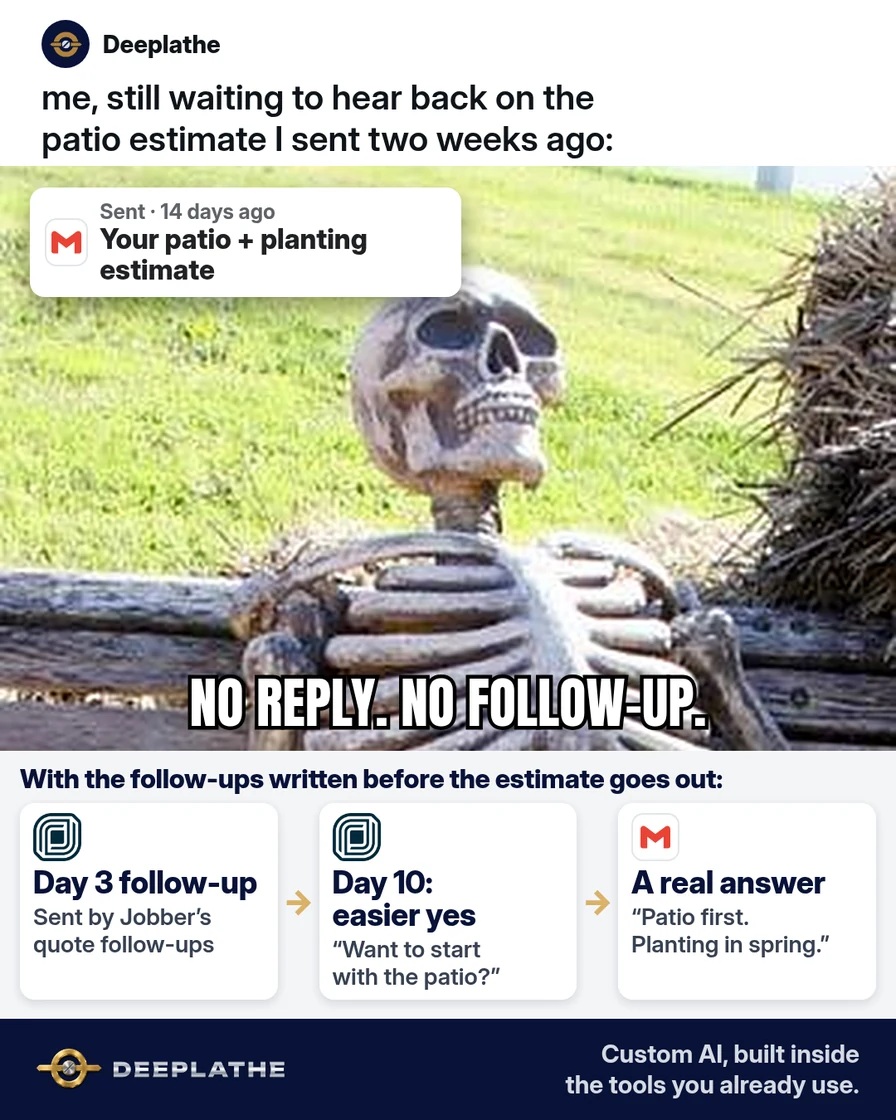
It's Thursday. Two weeks ago you walked a backyard with a couple, measured for a patio and a new planting bed, and spent an evening building the design estimate. You sent it. Nothing came back. You meant to write an estimate follow-up email, but the crews needed you, and now it feels awkward. Meanwhile, they may be reading someone else's quote.
The short answer
Treat the follow-up as a status-gated sequence fixed at send time: touch 1 at day 3 (delivery check plus one closed question), touch 2 at day 10 (a lower-commitment option), and a manual close-out at day 21. Each message must carry a single, low-effort reply path. Jobber's two quote follow-up automations fire only while the quote is awaiting response; Gmail scheduled sends have no reply awareness, so cancel them on reply.
Why design estimates go quiet
A design-build estimate is a big decision for a homeowner. They compare it with another bid, talk it over at dinner, and wait to see what the fall budget looks like. Silence usually means "not decided yet", not "no".
The follow-up slips for a simpler reason: it depends on you remembering it on a busy day. By the time you remember, a week has gone by, and writing "just checking in" feels pushy. So you wait, and the quote that took you an evening to build goes cold.
The fix is to make every follow-up decision once, on the day you send the estimate. You write the messages then, set the dates then, and from that point sending is not a decision anymore. It just happens, or it's already on your schedule.
Floor vote
When a design estimate goes quiet, what do you usually do?
One vote per device. Change it any time.
Loading votes…
Step 1: Write the estimate follow-up email before you send the estimate
Write all three messages at the same time as the estimate, while the walkthrough is fresh. You can write them yourself, or paste this into ChatGPT, Claude, or Gemini:
You are helping a landscaping company owner write follow-ups for a design estimate.
Write three short messages:
1) Day 3 email: check the estimate arrived and ask one easy question about it,
   for example which option they're leaning toward.
2) Day 10 email: offer one easier way to say yes, such as splitting the job
   into phases or starting with the hardscape. Ask one yes-or-no question.
3) Day 21 close-out: say I'll close the file unless they want it held.
   No guilt. Ask them to reply "hold" or "close".
Rules: under 90 words each. Plain and friendly, like a local owner, not a sales rep.
Use these blanks exactly: [CLIENT FIRST NAME], [PROJECT], [OPTION A], [OPTION B],
[MY NAME], [PHONE]. Don't invent prices, discounts, dates, or deadlines.
The blanks keep the client's details out of the chat tool, and they make the messages reusable for every estimate. If you'd rather talk than type, record your thoughts in the truck and turn the voice memo into a clean email first.
Here is what the three can sound like. These are an example, not a script you must use:
Day 3
Hi [CLIENT FIRST NAME], did the estimate for [PROJECT] come through okay?
When you look it over, are you leaning toward [OPTION A] or [OPTION B]?
Happy to walk through any line. [MY NAME], [PHONE]

Day 10
Hi [CLIENT FIRST NAME], a thought on [PROJECT]: some clients start with the
patio this fall and do the planting in spring. Would splitting it into two
phases make it easier to decide?

Day 21
Hi [CLIENT FIRST NAME], I don't want to keep filling your inbox. Should I hold
the [PROJECT] estimate for you, or close it out for now? A one-word reply is
perfect: "hold" or "close".
Read each one out loud before you save it. Cut anything you'd never say to a client in their driveway.
Technical note: the fixed placeholder schema does two jobs. It keeps client data out of the model's context, and it makes the output a reusable template rather than a one-off draft. The 'don't invent prices, discounts, dates' line matters because sales-style training text often adds urgency the owner never agreed to.
Step 2: Turn on quote follow-ups in Jobber
If you send estimates from Jobber, it can send the first two messages for you. Go to Settings → Automations and open one of the quote follow-up cards under the Quotes heading. If you don't see Automations, Jobber says the quote follow-up settings live under your Emails and Text Messages settings instead.
In each card, set the number of days after the quote was sent, and paste your message:
Quote follow-up 1:  3 days after the quote is sent   -> paste your Day 3 message
Quote follow-up 2: 10 days after the quote is sent   -> paste your Day 10 message
A few things Jobber's help center spells out that matter here:
- There are two quote follow-up automations, and each can be set up to 90 days after sending.
- The follow-up goes out the same way the quote did. A quote sent by text gets a text follow-up.
- It goes at the same local time of day the quote went out.
- It only reaches quotes still awaiting response, and only clients who have "outstanding quote follow-ups" turned on in their communication settings.
- Quote follow-ups are on Jobber's Connect plan and up. On other plans, Jobber's quote reminders put a red reminder on your schedule instead, so you send the message yourself.
For the Day 21 close-out, set a quote reminder for day 21 so it lands on your schedule. That message is better sent by you, because the answer decides what happens to the file.
Technical note: the automation is gated twice, on quote status (awaiting response) and on the client-level 'outstanding quote follow-ups' flag. If a follow-up doesn't fire, check both before you check the schedule. Jobber's custom automation builder (where your plan has it) can also add more follow-ups or set a quote's status to archived.
Step 3: Schedule the follow-ups in Gmail if you quote from another tool
If you build estimates in LMN, Aspire, SingleOps, or a spreadsheet, first check whether your tool has its own follow-up setting. If it doesn't, use your inbox.
Send the estimate by email. Then, in the same thread, write the Day 3 message, click the arrow next to Send, choose Schedule send, then Pick date & time. Do the same for Day 10. Gmail keeps them in the Scheduled folder, and you can open one there to cancel or change it. Outlook has a similar Schedule send option under the Send button's arrow.
One catch: a scheduled email doesn't know the client replied. When an answer comes in, open the Scheduled folder and cancel the rest. Make that part of reading the reply.
Technical note: Gmail's scheduled queue is not stateful. It doesn't watch the thread, so a reply doesn't cancel the next send. Gmail allows up to 100 scheduled emails, which is plenty for a season of estimates.
Step 4: Close the loop on day 21 and write down why
Send the close-out yourself. Most clients answer it, because it asks for one word. When they do, mark the quote won, held, or lost, and write the reason in the client notes: price, timing, scope, or went with someone else.
That note is the most useful thing in this whole process. After a season, it tells you whether your problem is follow-up or the estimates themselves.
The estimate follow-up timing
- Day 0Send estimateSet every follow-up now
- Day 3Did it arrive?One easy question
- Day 10An easier yesPhases or a smaller start
- Day 21Hold or close?You send it, then log why
The same timing as a list:
- Day 0, send the estimate: set both follow-ups and the day-21 reminder before you close the laptop.
- Day 3, did it arrive: one easy question about the options.
- Day 10, an easier yes: phases, a smaller first step, or a quick call on site.
- Day 21, hold or close: you send it, and you log the answer.
Example (illustrative): a design-build company in early fall
This is a walkthrough, not a client story. Picture a 20-person design-build and maintenance company. The owner sends a handful of design estimates a week and follows up when he remembers.
He writes the three messages once, saves the Day 3 and Day 10 versions in Jobber's two quote follow-up cards, and sets a quote reminder for day 21. The point is not more replies on paper. It is that a quiet estimate now ends in an answer: one client might want the patio first, another might say they went with another bid on price, and both are worth knowing.
At a glance
- Problem: design estimates sent and never chased.
- What was set up: three saved messages, two automatic follow-ups, one reminder.
- Tools it lives in: Jobber, Gmail, and a chat tool to write the first drafts.
- Owner still does: reads replies, answers price and scope questions, sends the close-out.
- Payoff: not measured here. Track how many quotes end in a clear yes or no instead of silence.
Mistakes to avoid
- "Just checking in" with no question. Give the client something easy to answer.
- Made-up urgency. Don't write "this price is only good until Friday" unless it's true and you'll hold to it.
- Letting a scheduled email go after they replied. Cancel the rest the moment an answer arrives.
- Letting AI touch the price. A chat tool shouldn't offer discounts, change scope, or promise start dates. Those are your calls.
- Following up a quote you sent to the wrong address. Confirm on site how they want the estimate: email or text.
Field check
Field check
Three questions. Honest answers. No score sent anywhere but this page.
01 / 03
Will you write the follow-ups the day you send your next estimate?
If it still doesn't work
First, check delivery. Ask one quiet client whether the estimate landed in spam, and in Jobber, open the client's profile to confirm their follow-up setting is on.
Then look at your notes from Step 4. If most answers say "price", the follow-ups are doing their job and the estimate is the issue. If you still get silence on the big ones, call them on day 10 instead of emailing. A two-minute call often answers what three emails couldn't.
Under the hood
The sequence works because it moves the decision from send time to setup time. Every later touch is either automatic (Jobber), pre-scheduled (Gmail), or a calendar item (quote reminder), so nothing depends on someone remembering on a busy day.
- State. Jobber stops follow-ups once a quote leaves awaiting response, so an approved quote never gets a 'still interested?' message. Scheduled email has no state at all, which is why canceling on reply is part of reading the reply.
- Channel matching. Jobber sends the follow-up the same way the quote went. A quote sent by text gets a text follow-up, so write the Day 3 and Day 10 messages short enough to read on a lock screen.
- Signal capture. The Day 21 close-out is manual on purpose. Its answer (hold, close, or a reason) is the data that tells you, after a season, whether the problem is follow-up or the estimates themselves.
Doing this inside the tools you already use
Deeplathe is a team of developers who build custom AI inside the tools a business already runs. For this job, a custom build could look like this: when a design estimate has sat for three days, a follow-up is drafted from that estimate's real options and the notes from your walkthrough. You read it, edit it if you want, and send it from your normal inbox. The reply and the reason get logged back on the client, and nothing goes out without you.
You get the same follow-up you'd write yourself, sent on time, without anyone having to remember it. See how a custom build works.
FAQ
How long should you wait to follow up on a quote?
Three days is a good first follow-up for a design estimate. It's long enough for the client to read it and short enough that the walkthrough is still fresh in their mind. Same-day follow-ups feel rushed. Waiting two weeks lets another bid take the lead. Set the date when you send the quote so you don't have to decide later.
How often should you follow up on a quote?
Two follow-ups and one close-out is enough for most residential estimates: around day 3, day 10, and day 21. Each one should carry something new, such as a question or an easier option. After the close-out, stop. If they come back later, you'll have the notes on file and can pick up where you left off.
What do you say when following up on a quote?
Ask one easy question. "Are you leaning toward the full patio or the smaller version?" gets a reply far more often than "just checking in". Mention the project by name, offer to explain any line, and sign with your name and number. Keep it under 90 words, so it reads well on a phone.
Is it pushy to follow up on an estimate?
Not if each message is short, useful, and easy to answer. Clients ask for estimates because they want the work done, and many expect a contractor who follows up to be one who shows up. What feels pushy is fake urgency or repeated messages that say nothing. A clear close-out on day 21 shows respect for their time.
Keep these
- Write the follow-ups on the day you send the estimate.
- Every message asks one question with a one-line answer.
- Only you decide price, scope, and start dates.
- Log why each quote was won or lost.
Sources
- Jobber Help Center: Automations (quote follow-ups)
- Jobber Help Center: Quote approvals and quote reminders
- Gmail Help: Schedule emails to send
Related reading
Keep these
The working rules
Status-gated quote automations (awaiting response) plus a manual close-out; a scheduled email has no reply awareness, so cancel on reply.