Part of: The process that only lives in your head
SOPs
Purchase order acknowledgement email: a template your shop can send the same day
For job shop owners and estimators who want PO-to-quote reconciliation done as a structured diff, with a purchase order acknowledgement email drafted from the result and nothing released until exceptions close.
For job shop owners and estimators who want PO-to-quote reconciliation done as a structured diff, with a purchase order acknowledgement email drafted from the result and nothing released until exceptions close.
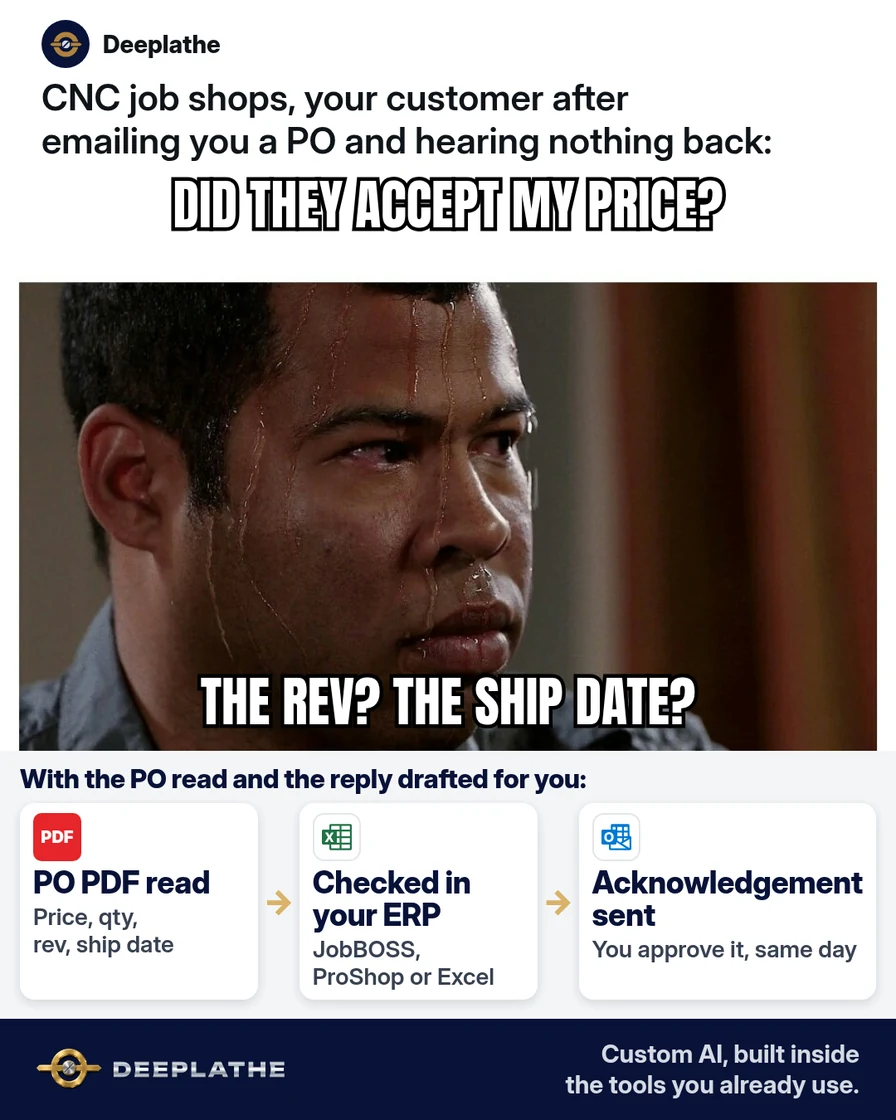
A customer PO arrives as a PDF, page one the line items, page two the buyer's terms. It gets a skim and goes in the pile. The mismatch, a revision bump, a stale unit price or a pulled-in due date, surfaces at shipping or incoming inspection, when the fix costs the most. A purchase order acknowledgement email is the control point that moves that discovery to day one.
The short answer
Treat the acknowledgement as the output of a field-level diff between your quote and the customer's PO. Reconcile part number, revision, quantity and releases, unit and extended price, material and finish, due date and ship method, and terms; then send acceptance or a list of exceptions the same business day. AI runs the diff and drafts the email. A person verifies and sends.
Why POs get confirmed without being checked
The data needed for the check lives in two places that don't talk. The quote sits in JobBOSS, E2, ProShop or a spreadsheet. The PO sits in an email attachment, often a scanned or image-based PDF built from the buyer's own ERP layout. Nobody's ERP reads the other's document, so reconciliation is manual and gets skipped under load.
The failure modes are predictable: revision drift between RFQ and PO, quantity converted into blanket releases, pricing pulled from an older quote, a required date inside your quoted lead time, and payment or freight terms that differ from the quote. Buyer terms on page two add inspection, first article or penalty clauses that never touch your quote.
Many buyer POs also say that shipping against the order counts as accepting their terms. Without a written exception, the PO as written is what you're held to.
Floor vote
Which PO mismatch bites your shop most often?
One vote per device. Change it any time.
Loading votes…
Step 1: Define the purchase order acknowledgement email fields as a fixed schema
Use one schema for every PO so the AI output and your templates line up:
part_number,revisionqty_total,releases[](qty and date per release)unit_price,extended_price,quote_numbermaterial,finish,certsrequired_date,ship_method,freight_termspayment_terms,buyer_tc_flags[](inspection, FAI, penalties, source inspection)
Keep the schema in a shared doc. If your ERP has the same fields on the sales order, name them the same way so logging is a copy, not a translation.
Step 2: Run the PO-to-quote diff with AI
Upload both PDFs to ChatGPT, Claude, Gemini or Copilot on a business plan that doesn't train on your data. Check the customer's NDA first, and keep export-controlled drawings and POs out of public AI tools.
Role: PO reconciliation for a US CNC job shop.
Inputs: QUOTE (ours) and PO (customer's).
Extract these fields from each document:
part_number, revision, qty_total, releases (qty+date),
unit_price, extended_price, material, finish, certs,
required_date, ship_method, freight_terms, payment_terms.
Then scan the PO terms for: inspection, first article,
source inspection, liquidated damages/penalties,
acknowledgement deadline.

Return:
1) A field list: field | QUOTE value | PO value | MATCH/DIFF/MISSING
   (as plain lines, one field per line).
2) buyer_tc_flags: quoted clause text, one per line.
3) If all MATCH: a clean acknowledgement email.
   If any DIFF: an acknowledgement listing each DIFF as
   "[field]: quote says [X], PO says [Y]" and asking for a
   revised PO or written confirmation.
Never infer a value. Mark unreadable text as UNREADABLE.
Scanned POs are the weak point. OCR errors in small table text are common, so spot-check every DIFF and every MATCH on price and revision against the PDF. If the PO is image-only, paste the line items as text instead.
Step 3: Save the two purchase order acknowledgement email templates
Clean acceptance:
Subject: PO [PO NUMBER] acknowledged: ships [SHIP DATE]

Hi [BUYER FIRST NAME],

We've received PO [PO NUMBER] and accept it as written against
quote [QUOTE NUMBER]:
- [PART NUMBER] Rev [REV], qty [QTY] at [UNIT PRICE]
- [MATERIAL / FINISH / CERTS]
- Ship [SHIP DATE] via [SHIP METHOD], [FREIGHT TERMS]
- Terms: [PAYMENT TERMS]
Our order number: [SHOP ORDER #].

[YOUR NAME] | [SHOP NAME] | [DIRECT LINE]
Acceptance with exceptions:
Subject: PO [PO NUMBER]: received, [N] items to confirm

Hi [BUYER FIRST NAME],

Before we schedule PO [PO NUMBER], these differ from quote
[QUOTE NUMBER]:
1. [FIELD]: quote says [X], PO says [Y].
2. [FIELD]: quote says [X], PO says [Y].
Please send a revised PO or confirm by reply. All other
lines are confirmed. With an answer by [DATE], we ship [SHIP DATE].

[YOUR NAME] | [SHOP NAME] | [DIRECT LINE]
Store them in the new Outlook or Outlook on the web under Apps > My Templates > + Template, or in Gmail after enabling Settings > See all settings > Advanced > Templates, then More options > Templates > Save draft as template.
Step 4: Send in-thread, attach the ERP document and gate release
Reply in the PO thread so the PO, acknowledgement and any revision share one Message-ID chain, which keeps search and audits simple.
E2 Shop. The Print button opens a multi-tab form where you pick the document, including the order acknowledgement. Emailing reports needs each user's outgoing SMTP settings under System Maintenance, User Maintenance. Note that SMTP sends don't land in Outlook's Sent Items unless the user ticks the copy-to-inbox option.
JobBOSS. Order acknowledgements print from the sales order. To email it, try Print Preview, then Export with email (MAPI) as the destination if your install supports it; otherwise attach the PDF to your reply.
ProShop or Excel. Export the acknowledgement to PDF and attach it.
Log the acknowledgement date, the final terms and each exception's status on the order. Release to the floor only when every exception is closed in writing.
From PO received to job released
- 1CheckWithin the hour, compare the PO to your quote on six facts.
- 2AcknowledgeSame day, reply in the PO thread: clean acceptance or listed exceptions.
- 3ResolveGet every exception answered in writing or on a revised PO.
- 4ReleaseLog the acknowledgement date and final terms, then release the job.
As a list:
- T+1 hour, diff: schema fields, quote vs PO.
- Same day, acknowledge: clean or with exceptions.
- Before release, close: each DIFF answered in writing.
- At release, log: date, final terms, exception status.
Example (illustrative): a six-person job shop on E2
A walkthrough, not a client story. POs land in a shared inbox. The office manager runs the Step 2 prompt with the PO and the E2 quote PDF, verifies every DIFF against the source, and sends the right template in-thread with E2's printed acknowledgement attached. Exceptions route to the owner. The order carries an "exception open" note until the buyer answers.
At a glance
- Problem: PO mismatches found at shipping.
- What was built: a field schema, a diff prompt and two templates.
- Tools it lives in: Outlook, E2, a business AI account.
- What the owner still does: rules on every DIFF and buyer clause.
- Payoff: not measured here. Track exceptions caught pre-release.
Mistakes to avoid
- Accepting before the diff. Your written acceptance binds you to the PO as written.
- Trusting OCR on price and revision. Always verify those two against the PDF.
- Letting AI rule on a DIFF. It reports; you decide.
- Ignoring buyer_tc_flags. FAI and inspection clauses change your cost and lead time.
- Logging nothing in the ERP. The scheduler needs to see an open exception.
Field check
Field check
Three questions. Honest answers. No score sent anywhere but this page.
01 / 03
What should you do before saying a PO is accepted?
If it still doesn't work
If extraction keeps failing, request text-based PDFs or EDI-style line data from the buyer, or paste line items manually. If POs still go unacknowledged, route them to one shared address with a single owner and a same-day rule.
Doing this inside the tools you already use
Deeplathe is a team of developers and solution builders who build custom AI inside the tools a business already uses. For this job, a custom build could watch the orders inbox, extract each PO into the schema above and pull the matching quote from JobBOSS, E2, ProShop or your spreadsheet. It drafts the acknowledgement in the buyer's thread with every difference listed, waits for your approval, sends from your address and logs the date and exception status on the order.
You rule on every exception and price. See how a custom build works.
FAQ
What is a purchase order acknowledgement email?
It's the supplier's written response to a PO: confirmation of receipt plus acceptance as written, or acceptance subject to listed exceptions. For a job shop it should restate part, revision, quantity, price, material, required date and terms. It's the record of the agreed order before production commits material and machine time.
How do you reply to a purchase order email?
Reply in the PO's thread. Reference the PO and quote numbers, restate the key fields, and either accept or list each difference as "quote says X, PO says Y." Ask for a revised PO or written confirmation for each difference, and attach your ERP's acknowledgement if it produces one.
Is a purchase order confirmation the same as an acknowledgement?
In practice, yes. Some shops send a receipt note and then a confirmation after review. One email that confirms receipt and either accepts or lists exceptions covers both, with less back-and-forth.
How fast should you acknowledge a purchase order?
Same business day is a sound default. Some buyer terms set their own acknowledgement window, so the Step 2 prompt scans for it. Early acknowledgement leaves time to correct revision or price before scheduling.
Keep these
- Diff the PO against the quote on a fixed schema.
- Same-day acknowledgement, in the PO thread.
- Verify price and revision against the PDF yourself.
- No release with an open exception.
Sources
- Microsoft Support: Create email templates in Outlook
- Gmail Help: Create a template in Gmail
- Shoptech E2: Configuring email in E2 Shop
- Shoptech E2: Reference guide (Print button and order documents)
Related reading
- Part of: The process that only lives in your head
- Quotation follow-up email templates that win the order
- Use ChatGPT for proposals and quotes without invented line items
- Use AI to draft customer emails and follow-ups that sound like you
- Turn messy notes into SOPs and checklists with AI
- Delivery status update email templates for shippers
Keep these
The working rules
Reconcile part number, revision, quantity and releases, price, material and finish, due date and ship method, and terms; then send acceptance or a list of exceptions the same business day.