Automations
Equipment rental tracking that runs itself: a morning list of rented gear still sitting on finished jobs
A morning email lists rented machines still on finished jobs, with off-rent emails drafted. Fewer wasted rental days and no rental spreadsheet.
The short answer
Rented equipment left on a finished job now shows up on a 6:30 a.m. list before it costs you another day. A scheduled AI task reads the rental confirmations your yards already email you and the "job complete" notices from your job software, matches them, and emails you only the machines that are still on rent at jobs that are done. Nobody keeps a rental spreadsheet, nobody walks the job board, and you stop paying for skid steers that sat idle all weekend.
For a concrete or fencing crew this is the cheapest equipment rental tracking there is: no new app, no tags on machines, just your inbox checked every morning.
What it costs you now
Here is how it usually goes. The crew finishes the pour on Tuesday. The mixer and the skid steer stay on site because the foreman is already at the next job. Everyone assumes someone else told the yard. Nobody did. The machine sits there Wednesday, Thursday and through the weekend, and you find out weeks later (say, three weeks in this example) when the rental yard invoice lands.
Most rental agreements keep charging until the yard gets your off-rent notice or the equipment is back at the branch. Some count weekends too. The clause differs by yard (one industry guide spells out both versions, linked below), but either way the meter runs until somebody acts.
So someone in your business does the checking by hand, or nobody does:
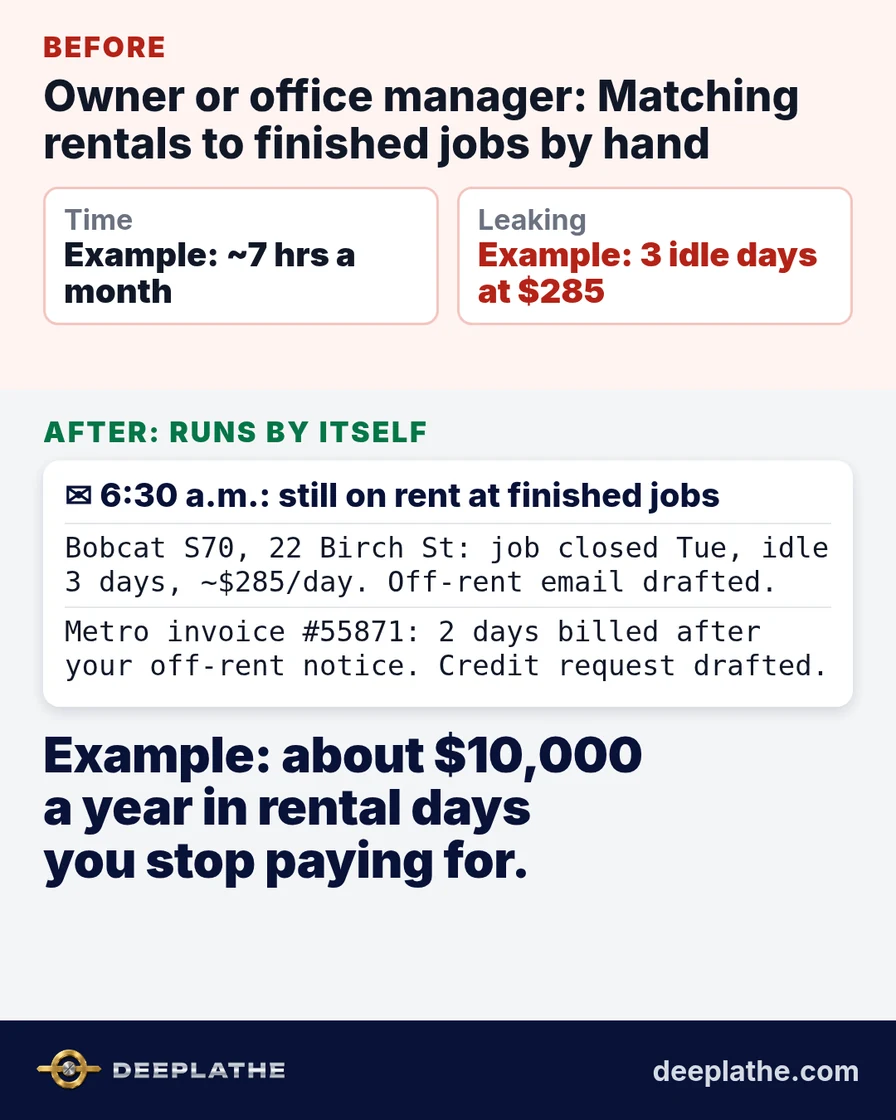
- Example: the owner or office manager spends about 15 minutes each morning matching open rental contracts against the job board and texting foremen "is the Bobcat still at Birch Street?" That is roughly 5 hours a month.
- Example: at month end, the same person spends about 2 hours lining up each rental yard invoice against delivery tickets and job dates, looking for days that shouldn't be there.
- Example: when nobody does it, 3 extra rental days a month slip through. At $285 a day for a compact track loader, that is about $855 a month, or roughly $10,000 a year, paid for machines doing nothing.
In late fall this gets worse. Crews race to pour before freezing temperatures, more jobs run at once, and more rentals are out across more addresses. That is exactly when a forgotten mixer is most likely.
What runs by itself
The job is a watcher on your own email. Every morning at 6:30 it looks at two things you already receive:
- Rental paperwork from your yards: reservation and delivery confirmations, contract numbers, the address each machine went to, and the daily or weekly rate.
- Job status: the "job marked complete" notification from your job software, or the final invoice you send the customer.
It decides one thing: is any rented machine still on rent at an address where the job is finished? If yes, that machine goes on the list with the contract number, the days it has been idle and what it is costing per day. It also drafts the off-rent email to the right yard so you only have to approve it. If no, you get nothing. No "all clear" email to read.
When a rental yard invoice arrives, the same watcher compares the billed days with the off-rent date it already has on file and adds a line if the yard billed past it. That turns the month-end invoice check into a line you read, not a job you do.
This runs as a scheduled task in ChatGPT connected to Gmail, or as a Zapier or Make automation where the AI reads Outlook or Gmail. ChatGPT's scheduled tasks can run on a recurring schedule or, on paid plans, start the moment a new Gmail message arrives, and any action that sends a message can pause for your approval, so nothing goes to a rental yard without your OK. Zapier's built-in AI is made to extract and classify data from incoming email, which is what reading a rental confirmation needs. We can set this up for you inside the email and job software you already use.
If you want the bigger picture of why this is different from typing questions into a chat window, see automation vs a chatbot.
Example: what lands in your inbox
Illustrative sample of the 6:30 a.m. email:
Still on rent at finished jobs (2):
Bobcat S70, 22 Birch St: job closed Tue, idle 3 days, about $285/day. Off-rent email to Valley Rental drafted, approve?
Towable mixer, 418 Oak Ln: job closed Fri, idle since Sat. Off-rent email to Metro Equipment drafted, approve?
Invoice check: Metro Equipment #55871 bills 2 days after your 9 Oct off-rent notice, credit request drafted.
You read it with your coffee, approve two emails, and the meter stops before the crew is even on site.
The time and money math
Assumptions, all labeled as an example. Swap in your own numbers:
- Example: 15 minutes a morning of matching rentals to jobs, about 21 workdays a month, is about 5 hours.
- Example: 2 hours a month reconciling rental yard invoices.
- Example: 3 forgotten rental days a month at $285 a day.
Time back: about 7 hours a month that the owner or office manager spent chasing rental contracts and yard invoices drops to under 5 minutes a day of approving what the list shows. Over a year that is more than 80 hours.
Money effect: the cost cut is the rental days you stop paying for. Example: 3 days a month at $285 is $855 a month, about $10,000 a year. If your office manager earns $25 an hour, the 7 hours a month is another $175 a month of admin wages freed for billing, scheduling or estimating. Catching even one invoice billed past the off-rent date pays for the setup in most months.
If you want to check these numbers against your own books first, here is how to measure AI ROI in a small business.
Where it goes wrong (limits)
It only knows what reaches your email. If a foreman rents a plate compactor on a personal card and the confirmation goes to his personal email, the watcher never sees it. The fix is a simple rule: every rental confirmation gets sent to one shared inbox.
It needs a reliable "job done" signal. If your crews close jobs in the job software three days late, the list will be three days late too. Some owners use the final customer invoice as the starting signal instead, because that one always goes out.
Addresses must match. "22 Birch" on the rental contract and "22 Birch Street, Unit B" in your job software usually match fine, but a yard that writes only a job number can confuse it. The first week, glance at each flag and correct anything wrong. It learns your naming quickly.
It reads agreements, not contracts law. Whether charges stop at your off-rent notice or at pickup depends on each yard's terms. The watcher flags days that look billed past the off-rent date; you still decide whether to ask for the credit.
Some equipment should stay. A machine kept on a finished job because it is moving to a neighbor's driveway tomorrow is a valid exception. You mark it once and it stops flagging.
What if it still doesn't work for you?
If your rentals come mostly by paper ticket with no email trail, start by asking your yards to email confirmations. Most already offer it. If your job software has no "complete" status, the final invoice or your calendar works as the starting signal. If after a month the list is always empty, that is good news: you have just learned your crews are already disciplined, and the invoice check is still catching billing errors. If none of it fits, you lose a setup afternoon, not a new software bill.
Built inside the tools you already use
Deeplathe builds this kind of watcher inside the email, job software and accounting tools you already have, so there is no new app for your crews to learn. You decide what it checks, what it flags and what it is allowed to send; anything that goes to a rental yard waits for your approval. If you want to see other jobs that can run this way, look at /solutions.
Questions owners ask
What does it cost to run?
The scheduled task runs on a ChatGPT paid plan or a Zapier or Make plan you may already have. Recurring tasks with exact times need a paid ChatGPT plan. Compared with one forgotten rental day, the monthly cost is small.
Will it work for a crew my size?
It works best for crews that rent from more than one yard and run several jobs at once, which is most concrete and fencing outfits in pour season. A one-truck operation with one rental a month can probably keep it in their head.
What if it breaks or misses something?
If the email connection drops, the task pauses and you see it. The first weeks you check each flag against reality. After that, a missed machine still shows up on the invoice check, so the worst case is the old way, not worse.
Is my business data safe?
It reads the mailbox you connect, with the permissions you grant, and nothing gets sent without your approval. More detail is in is customer data safe with AI tools.
Do my foremen have to do anything?
No new app and no new form. The only habit is that rental confirmations go to the shared office inbox, which most yards already do once you ask.
Sources
- EquipRecon: How to check an equipment rental invoice against the off-rent date: some agreements end charges when the yard receives your off-rent notice, others when the equipment is picked up or returned.
- OpenAI Help Center: Scheduled tasks in ChatGPT: recurring and Gmail event-triggered tasks, and actions that send messages can pause for approval.
- Zapier: AI by Zapier integrations: an AI step that can summarize, classify or extract data, with Gmail and Microsoft Outlook among its integrations.
Keep these
The working rules
Rented equipment left on a finished job now shows up on a 6:30 a.m.
Floor vote
Where are you with this job?
One vote per device. Change it any time.
Loading votes…
Field check
Field check
Four questions. Honest answers. No score sent anywhere but this page.
01 / 04
Can you name the one job this piece is for, in one sentence?